
Run your first coding task
By the end of this tutorial, you will turn a rough idea into focused tasks, run an agent on one task, and inspect the change before you deliver it.
In Volli, a task is a ticket. You need Volli installed, a git repository on disk, and about fifteen minutes.
Add a project
Section titled “Add a project”In the project rail, select +, then choose a git repository. That folder
becomes the project’s main checkout. Volli derives a ticket prefix from the
folder name. A folder called harbor gets tickets such as HB-1 and HB-2.
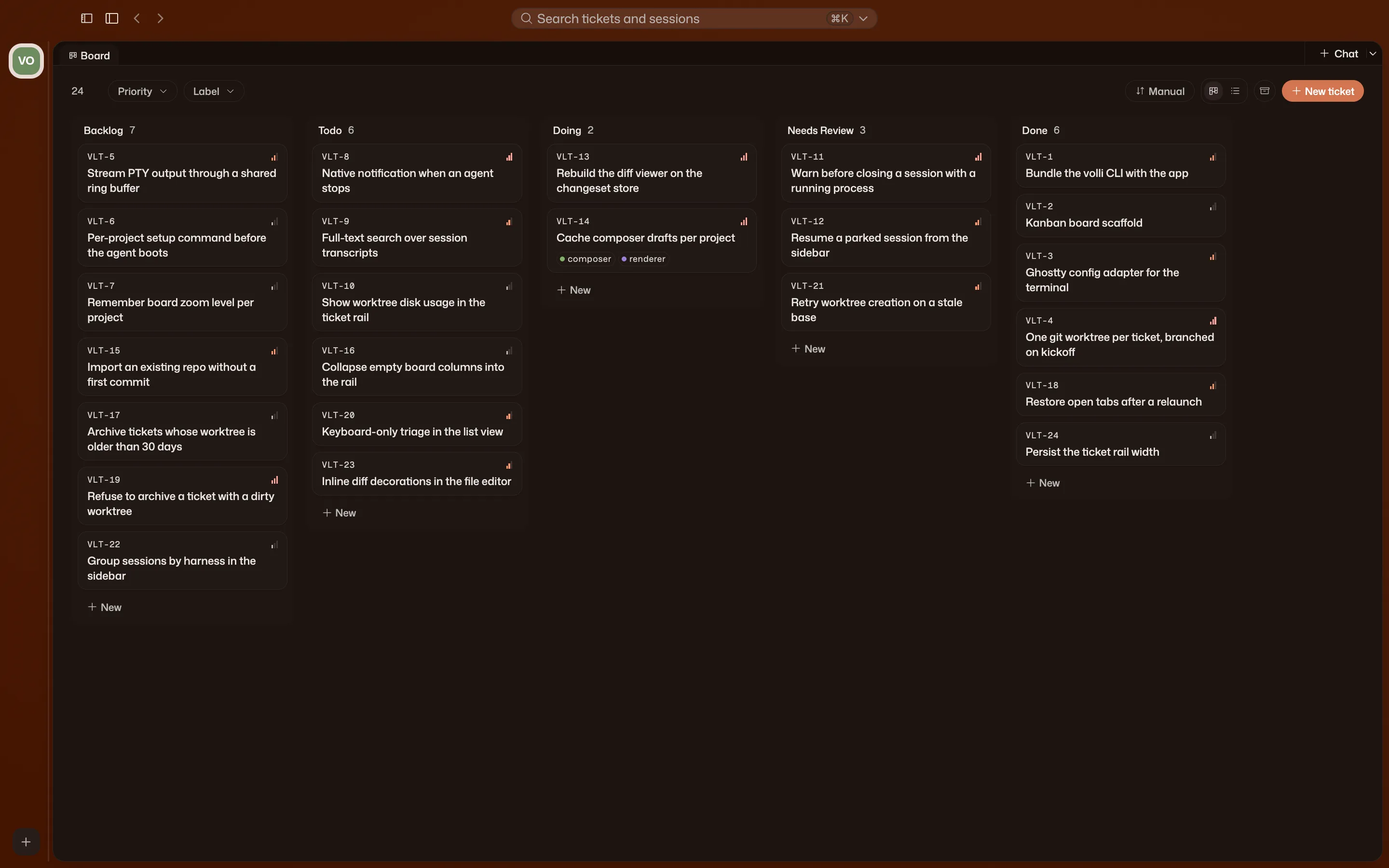
The project opens on Home, a tabbed workspace. Its permanent Board tab organizes tasks. Project chats and files open as tabs beside it.
Turn an idea into tasks
Section titled “Turn an idea into tasks”-
On Home, select Chat.
This starts a project chat in your main checkout.
-
Describe the goal in broad terms.
Use a project chat when you want help shaping the work:
We need to move billing off the nightly job and onto Stripe webhooks. Break this into tasks for me.
-
Return to Board.
A project chat can create and edit tickets. Review the tasks it created and adjust them before you start work.
A project chat sees your main checkout and the whole board. Use it when the work is not shaped yet. A ticket chat works on one task in that task’s isolated checkout.
Write a task brief
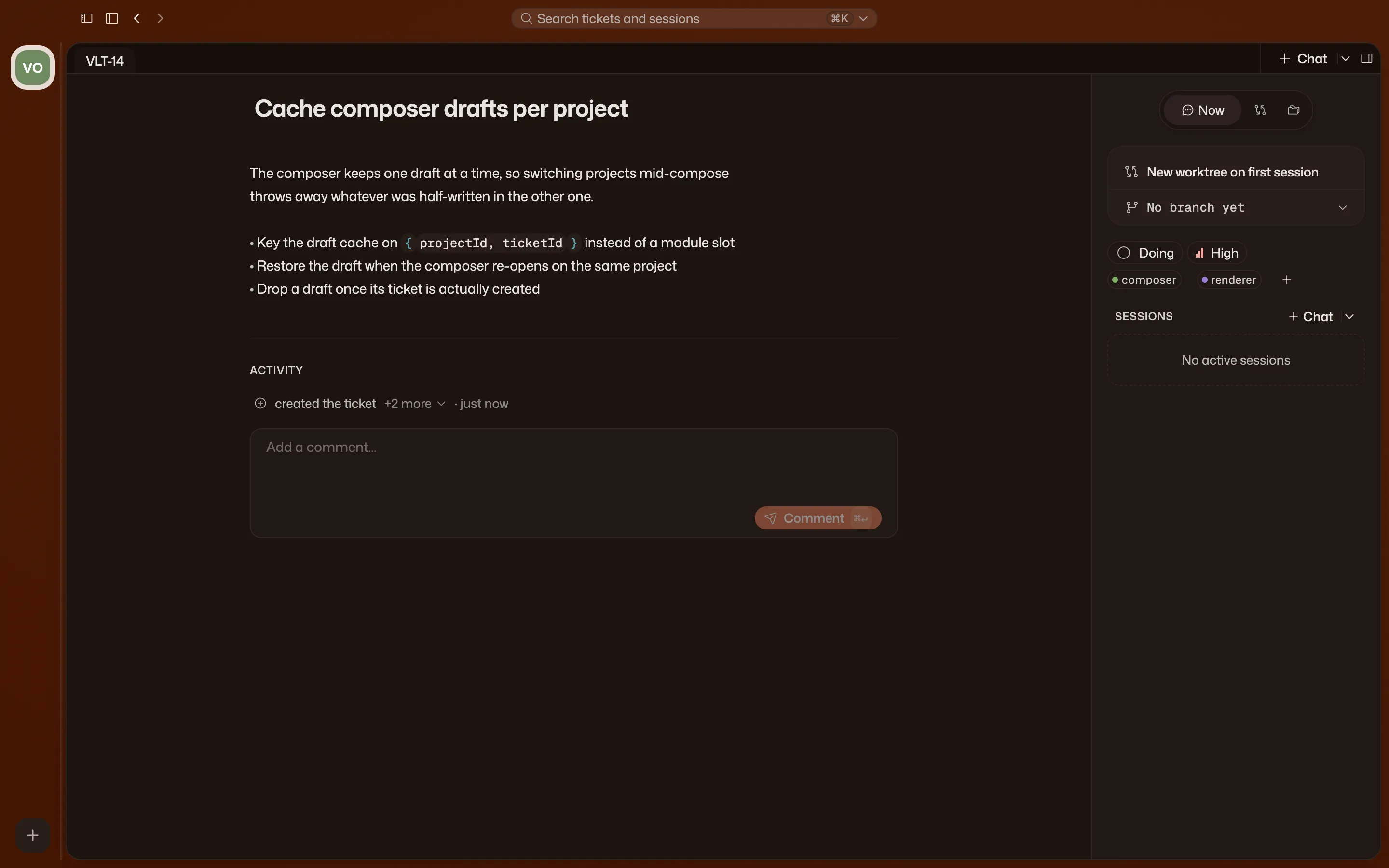
Section titled “Write a task brief”On the Board, open a task. It opens a ticket workspace.
The first tab is its Ticket Body. Write what must change, what must not change, and how you will judge the result. This brief is the starting context for every chat on the ticket.
Run a task
Section titled “Run a task”-
Inside the ticket, select Chat.
Volli prepares the ticket’s isolated git worktree and starts a chat with the ticket body and resolved context.
-
Answer questions as the agent works.
When the agent needs a decision, it asks. You can interrupt it at any time.
-
Return to the chat later.
Close the tab or quit the app. Reopen the chat from the ticket’s Chats rail, the sidebar, or ⌘K. Its history remains available.
For independent tasks, repeat this process from each ticket. Each task uses its own worktree and branch, so their changes stay separate while agents work in parallel.
Review the change
Section titled “Review the change”The task worked in its own git worktree and branch, separate from your main checkout.
- Changes shows the change set against the base branch.
- Files opens the task’s files as they are in the worktree.
Read the change yourself. Volli shows you what happened, but it does not certify that the work is correct or run your tests for you.
Deliver the task
Section titled “Deliver the task”Commit, push, and open a pull request from the ticket’s repository summary. Then move the ticket and clean up its worktree when you are done.
Optional: Use a terminal
Section titled “Optional: Use a terminal”To drive a CLI yourself, open the caret beside Chat and choose Terminal. You get a shell in the ticket’s worktree for Claude Code, Codex, OpenCode, or your own TUI. Volli never opens one as a fallback.